
Viodi View Menu
| Current Issue |
| Previous
Issue
|
| Viodi
View Subscribe
|
| Viodi Forums |
| Multimedia
Search
|
| Viodi Workshops |
| Industry |
| About Viodi |
Interested in Sponsoring the Viodi View? Send an email to: [email protected]
Please forward this free publication to anyone you know who is involved in some way with independent telephone companies.
Mission of the Viodi View:
In this on-line publication, we share our analysis, opinions and direction on the interactive television news and views that we believe will be of interest and use to our friends associated directly or indirectly with independent telephone companies. For more information as to the various ways Viodi works with independent telephone companies, please go to http://www.viodi.com/alliance/
Disclaimer:
The Viodi View [Viodi, LLC] and its associates used their best efforts in collecting and preparing the information published herein. However, the Viodi View [Viodi, LLC] does not assume, and hereby disclaims, any and all liability for any loss or damage caused by errors or omissions, whether such errors or omissions resulted from negligence, accident, or other causes.
All displayed trademarks, logos and service marks are
the property of their respective owners. © 2005Viodi,
LLC. All Rights Reserved.
5255 Stevens Creek, #127 Santa Clara, CA 95051
Viodi View Newsletter - December 7th, 2005

Click here to learn
more about Viodi's Local Content Workshop
A Next Generation DVR - The Review
By Ken Pyle, [email protected], Managing Editor, Viodi View
I am the reluctant early adopter. Too many times I have had high expectations for a product concept only to be disappointed by the difficulty in using a new product. What is really bad is when one spends a great deal of time trying to make a product work and it doesn’t meet expectations. The devices I reviewed from Video Without Boundaries are definitely for the early adopters and wouldn’t find a place in the laggard Pyle residence, which is evidenced by our five and 19 year old televisions.
The MediaREADY 5000 is digital video recorder with all sorts of extra features. There are multiple ways to get content into the box, including RF, Ethernet, composite and component video, firewire, USB, and CD or DVD. It has a 120 GByte drive, so there is plenty of storage capacity for creating hundreds of MPEG-4 or MPEG-2 with its built-in codecs. It also has an Interactive Guide that pulls the data from the Internet. It also has some sort of predictive software, so it determines preferences and automatically records programs based on explicit or implicit input. At $699, this is a significant purchase, although there are no on-going service charges beyond this one time price.
My original intent was to review the Video Flyboy. I had some professional reason for considering the purchase of this combination MP3 recorder/player, MPEG-4 video recorder/player and photo viewer. I wanted to use the digital encoding feature of the Video Flyboy to encode content directly from my video camcorder, as it has greater record capacity than a mini-DV tape and it would eliminate the need to capture video from the camcorder to my computer. When I was just about done with the review of the Video Flyboy, it hit me that I could use the MediaREADY 5000 to transfer files back and forth between devices; at last, I could watch Desperate Housewives on a portable device and not have to pay $1.99 per download for the privilege (e.g. the Apple service).
Video
Fly Boy |
MediaREADY
5000 |
||
+ |
- |
+ |
- |
| Relatively Easy to Use for playback & recording | Cumbersome to transfer video files | Almost every feature one would ever need in a next generation DVR. | Too difficult to get many of the features to work |
2.5 to 3 hours playback using battery |
Requires special software to view or edit video files | DVR has predictive recording software to optimize user experience | Loud fan |
| Ample storage | Lack of entertainment content | No subscription required | Takes to long to turn-on - 2 minutes 20 second turn-on time |
The Video Flyboy is a nice size, just a little larger than an average man-sized hand. One thing I never thought about, until I tried it, is how tired one’s hand would get if they were to watch a two hour movie on this device. A little pop-up stand would be a good addition to this device so the user wouldn’t have to hold it for long periods of time. The buttons are fairly straightforward and I was able to navigate through this device without consulting the manual. I recorded approximately 10 to 12 different sessions and 10 hours of content via a camcorder conneted to the video input and found it was fairly reliable. One time, I did get in a mode where it appeared to hang up.
The video playback was adequate on the small screen. When displayed on a big screen, there was definitely some pixilation. Photos on the Video Flyboy were also acceptable. I found that it could play back approximately 2.5 to 3 hours with one charge. In video record mode, the batteries lasted approximately 40 minutes. In reality, this wasn’t a problem, as I simply used an AC outlet when recording.
The biggest drawback from my perspective was my inability to view or edit, on my lap-top, the video files generated by this device . It was easy enough to transfer them to my computer, as I plugged the Video FlyBoy in the USB 2.0 port and it appeared as another hard-drive. I tried editing the content with Adobe Premier Pro and SimpleStar to no avail. I sent a video file to Roger Bindl who had no luck using Sony’s Vegas or Apple’s Quicktime. According to David Novak of VWB, a video editing program that uses a XVID format, such as that provided by Ulead, is required to edit these videos.
I tired of watching the content I created and looked online for content I could download. The biggest thing missing for this device is a iTunes-like interface to make it easy to discover and download content. I was going to return the Video FlyBoy, when I realized that the MediaREADY 5000, which had also been supplied to me for review, might be the mechanism for easily transferring content to the Video FlyBoy, portable media player.
The MediaREADY 5000 is a Linux computer with interfaces to a television. It uses the SageTV software to provide PVR functionality. As it is a Linux computer, the boot up cycle is just like it would be if it were a PC. The downside to this is that it took two minutes and twenty seconds from power up until it was ready. This wouldn’t be a problem, but the loud fan is on even in standby mode (standby mode allows instant-on). The fan is so loud that it didn’t pass my spouse's threshold for an acceptable piece of living room electronics.
Of course, one of the advantages of this box is that it is intended as a hub for one’s media collection, so the could be centrally located in a closet or basement and extended, either wirelessly or via Ethernet, through the MediaREADY X40, an Ethernet to baseband video set-top. The MediaREADY X40 appears on VWB’s web site, but a price or ordering information was not available at the time of publication. As a media hub, it connected to my network of PCs easy enough. Unfortunately, I never figured out how to transfer files between this device and my computers. I probably spent an hour trying to make this functionality work, as I wanted to take some existing MPEG files on a PC and burn them to DVD.
The remote control was too complicated and the user interface wasn’t always clear-cut. I attribute this mainly to the roll and click interface, as the remote control required the use of a mouse. I was surprised that they used this design, as most TV navigation systems have settled on arrow keys. This sort of navigation was inconvenient and, with too much navigation, was uncomfortable on the wrist.
This box and system is clearly designed for people who have display electronics from this century. The 20 inch, 1986 television that I used for testing the MediaREADY 5000 did not do the graphics justice. For instance, I did not notice some of the smaller graphic objects, such as the “previous menu arrow”, that probably would have been obvious on a modern display.
I would have put the box on our 27 inch television in the front room, but I didn’t have an IR Blaster to control our Comcast digital set-top box. I actually made the trek to Radio Shack to purchase an IR Blaster, but, apparently, they don’t stock these devices. An IR Blaster should probably be included with this device, as I suspect most buyers will be early adopters and will have some sort of set-top box they will want to control.
I tried to test as many of the features as easily possible. Ripping a CD-ROM was fairly straightforward, although the encoding process took much longer than on my PC. I was able to transfer photos via the USB connection, although it didn’t detect the USB card the first time. It didn’t detect my Firewire-enabled video camcorder, which was unfortunate because I was hoping to feed digital video directly to the MediaREADY’s hard-drive. The first time I tried slideshow mode, I ran into some problem where all I saw was a spinning icon for about 20 minutes. I had to pull the AC to reboot the box.
I was really looking forward to viewing Internet video, such as Rocketboom or the Viodi View, but, again, the box came up short as I tried to play video in Quicktime, Real and Windows Media formats to no avail. Every time I would try to play these formats, a request to download a plug-in would come up and I was never able to download the plug-in.
I was able to record television off the cable system. The DVR functionality seemed to work ok and the guide information reflected Comcast’s San Jose line-up. The interface was a bit complicated, however, and I never felt comfortable scheduling shows. I am sure this was just a matter of practice. The instant record function seemed simple enough and I was able to record several shows.
I tried several times, but I couldn’t transfer a recorded program from the MediaREADY 5000 to the Video FlyBoy. The whole point of reviewing the MediaREADY 5000 was to see if there was an easy way to generate entertainment content for the Video FlyBoy. Try as I might, I couldn’t figure out how to make this feature work. And that’s probably my biggest problem with the MediaREADY 5000 is that it makes TV too complicated.
Viodi View Subscribe

This Just In!
The TELECOM 05 CDs arrived and will be shipping this week.
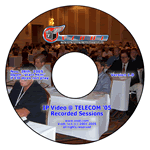
Great Holiday Gift Idea
Hear and See What You Missed
The TELECOM 05 CD is a great gift
for that hard to buy for telecom person. Call Sean Sullivan at 202 326
7260 to purchase or send an email to
[email protected].
Click Here to See Sample User Interface
CD-ROM Contents
CLUB VIODI MEMBERS
And You Know Who You Are
Send an email to [email protected]
for information on a beta test of a new program we will be launching in January 2006.