
Viodi View Menu
| Current Issue |
| Previous
Issue
|
| Viodi
View Subscribe
|
| Viodi Forums |
| Multimedia
Search
|
| Viodi Workshops |
| Industry |
| About Viodi |
Interested in Sponsoring the Viodi View? Send an email to: [email protected]
Please forward this free publication to anyone you know who is involved in some way with independent telephone companies.
Mission of the Viodi View:
In this on-line publication, we share our analysis, opinions and direction on the interactive television news and views that we believe will be of interest and use to our friends associated directly or indirectly with independent telephone companies. For more information as to the various ways Viodi works with independent telephone companies, please go to http://www.viodi.com/alliance/
Disclaimer:
The Viodi View [Viodi, LLC] and its associates used their best efforts in collecting and preparing the information published herein. However, the Viodi View [Viodi, LLC] does not assume, and hereby disclaims, any and all liability for any loss or damage caused by errors or omissions, whether such errors or omissions resulted from negligence, accident, or other causes.
All displayed trademarks, logos and service marks are
the property of their respective owners. © 2005Viodi,
LLC. All Rights Reserved.
5255 Stevens Creek, #127 Santa Clara, CA 95051
Viodi View Newsletter - January 11th, 2006

Click here to learn
more about Viodi's Local Content Workshop
Essential Digital Video- A Book Review
By Ken Pyle, [email protected], Managing Editor, Viodi View
Even though it was written in 2004, The Essential Digital Video Handbook feels very current. The author clearly has a pulse on where things are going, as well as where they have been in the video production industry. His experience behind the camera shines through in the number of useful tips that he peppers throughout the book. There are a generous number of photos that help bring the words to life. This is a good book for learning subtle techniques to give videos a professional look.
I enjoyed this book because there were quite a few tips that are common sense, but not obvious at first glance. The book could have spent more time on how to post video to the Internet, but, in general, he covered all of the technical aspects of producing video. This book is a good complement to the Digital Videomaker – Guide to Digital Video and DVD Production, reviewed in the Viodi View last year.
Here are some of the tips I learned from this book:
- I liken picking equipment for video production as like picking a baseball glove. It is a pretty subjective. He provides a nine step test for doing a camera comparison, which could prove very useful, though a bit time consuming.
- Film a minute of room buzz to get sound ambience, in case you need it later as filler.
- Put on a white paper on the lens cap to give an easily accessible surface for setting white balance.
- Suggested that one holds a frame for 10 seconds before starting a pan or a tilt.
- Gives the recipe for making fake blood. Yes, you can try this one at home.
- He uses different audio tracks for each person, music, sound effects to make it easy to account for the different audio.
- He suggested that audio should be ramped up and down to prevent sharp edges which would be noticeable on high-end speaker systems.
- Look at the audio meters during the entire edit to make sure they stay within range.
- For short sound bites, he suggested reading it twice to determine the length of time associated text should be kept on the screen.
- Suggested that fonts should be 18 point minimum.
- I would have liked for him to discuss how to film a digital clock. Does the clock have to be synchronized somehow to the camera?
- One idea that wasn’t in the book, but came from a conversation Roger Bindl and I had was that a multi-camera shoot of a high school sporting event could be synchronized by connecting FM radios to the audio input to each camera. The different videos could then be synchronized by lining up the audio spectrums on the edit timeline.
Viodi View Subscribe

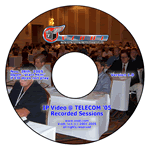
IP Video
Hear and See What You Missed
The TELECOM 05 CD is a great gift
for that hard to buy for telecom person. Call Sean Sullivan at 202 326
7260 to purchase or send an email to
[email protected].
Click Here to See Sample User Interface
CLUB VIODI MEMBERS
And You Know Who You Are
Send an email to [email protected]
for information on a beta test of a new program we will be launching in January 2006.